

Table of Contents
- Why LinkedIn is the #1 Platform for Personal Branding
- Step 1: Optimize Your LinkedIn Profile for Maximum Impact
- Step 2: Build a Winning Content Strategy
- Step 3: Network Strategically & Grow Your Connections
- Step 4: LinkedIn SEO — Get Found by the Right People
- Step 5: Drive Engagement & Build Authority
- Common LinkedIn Personal Branding Mistakes to Avoid
- Recommended Tools & Resources
- Frequently Asked Questions
Your LinkedIn profile is your 24/7 digital resume — but more than that, it is your personal brand’s storefront on the world’s largest professional network. With over 1 billion members globally, LinkedIn is not just a job-hunting platform anymore. It is the most powerful tool for building authority, attracting opportunities, and positioning yourself as an expert in your industry.
Whether you are a fresh graduate, a working professional, a freelancer, or an entrepreneur, mastering LinkedIn for personal branding can transform your career trajectory. At Digital Marketing Academy Perinthalmana, we have helped hundreds of students and professionals build compelling LinkedIn presences that open doors to new careers, clients, and collaborations.
This guide walks you through everything — from profile optimization and content creation to LinkedIn SEO and strategic networking — with actionable tips you can implement today.
Why LinkedIn is the #1 Platform for Personal Branding
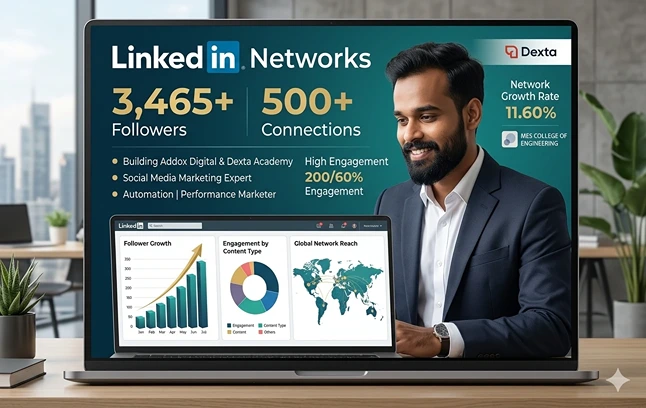
LinkedIn is not just another social media platform — it is a professional ecosystem built for exactly the kind of credibility-building that personal branding demands. Here is why it stands above every other platform for this purpose:
Global Members
Reach decision-makers, recruiters, and clients across 200+ countries.
Monthly Active Users
40% of LinkedIn users visit daily — your content gets consistent eyeballs.
B2B Marketers Use It
97% of B2B marketers use LinkedIn for content distribution and lead gen.
Higher Conversion
LinkedIn generates 7x more leads per post than Facebook or Twitter for B2B professionals.
LinkedIn is not just another social media platform — it is a professional ecosystem built for exactly the kind of credibility-building that personal branding demands. Here is why it stands above every other platform for this purpose:
Step 1: Optimize Your LinkedIn Profile for Maximum Impact
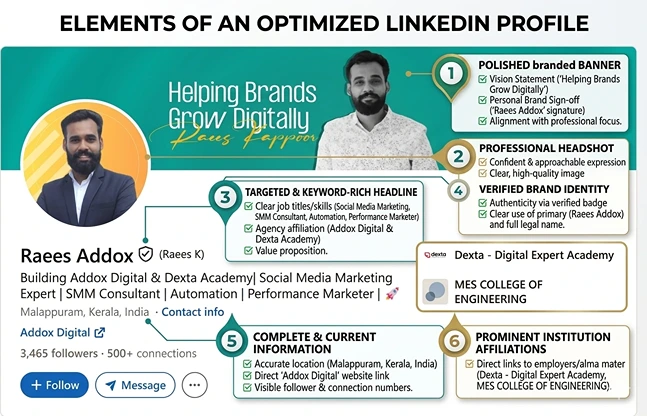
Your LinkedIn profile is the foundation of your personal brand. Before you post a single piece of content, your profile must be fully optimized. Think of it as your landing page — if it does not convert visitors into connections or followers, everything else you do is wasted effort.
Profile Photo & Banner
Your profile photo should be professional, clear, and approachable — ideally a headshot with a plain or slightly blurred background. Your banner image (the cover photo behind your headshot) is prime real estate that most people ignore. Use it to communicate your value proposition — your name, role, or a one-line tagline.
💡 Pro Tip: Profiles with professional photos get 21x more profile views and 9x more connection requests. Use Canva to create a branded banner — add your specialty, website URL, or academy name.
The LinkedIn Headline (Most Underutilized Space)
Your headline is not just your job title. It is your personal value proposition. You get 220 characters — use them wisely. Instead of writing “Digital Marketing Student,” write something like: “Digital Marketer | SEO & Social Media Strategist | Helping Brands Grow Online | Alumnus, Digital Marketing Academy Perinthalmana.”
Your headline follows you everywhere on LinkedIn — in search results, comments, and connection requests. This makes it one of the most powerful LinkedIn SEO fields on your entire profile. Our beginner’s guide to SEO explains keyword research techniques you can apply directly to your LinkedIn headline.
The About / Summary Section
Write your About section in first person. Start with a hook — a bold statement, a question, or a surprising fact. Tell your story: who you are, what you do, who you help, and what makes you different. End with a clear call-to-action — invite people to connect, message you, or visit your website. Use relevant keywords naturally throughout.
Experience, Skills & Recommendations
List your experience with measurable achievements, not just job duties. Instead of “Managed social media accounts,” write “Grew Instagram following by 3,400% in 6 months through organic content strategy.” Request at least 3–5 recommendations from colleagues, mentors, or professors. These act as social proof that dramatically increases profile credibility.
☑ LInkedin Profile Optimization Checklist
- Professional headshot (face clearly visible, good lighting)
- Custom banner image with your value proposition
- Keyword-rich headline (not just your job title)
- First-person About section with a strong hook and CTA
- Featured section with your best work, articles, or links
- All experience entries with measurable results
- Minimum 5 skills endorsed by others
- Custom LinkedIn URL (linkedin.com/in/yourname)
- At least 3 recommendations from credible connections
Step 2: Build a Winning Content Strategy
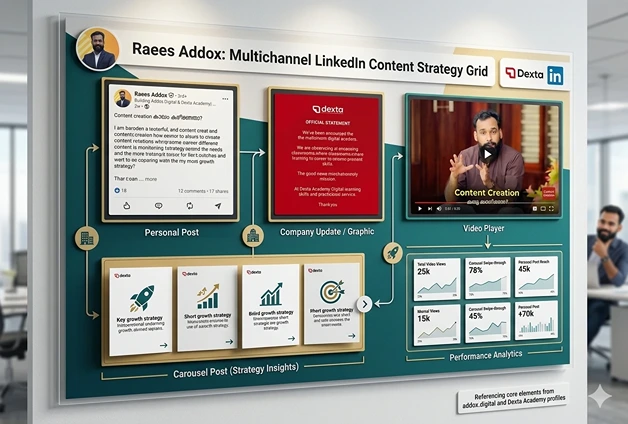
Optimizing your profile gets you found. But content is what builds your brand. The people who dominate LinkedIn are not necessarily the most qualified — they are the most consistent and strategic content creators. Here is how to build a content strategy that actually works.
Choose Your Content Pillars
Your content pillars are the 3–5 core topics you will regularly post about. They should sit at the intersection of your expertise, your audience’s pain points, and what you are genuinely passionate about. For example, a digital marketing professional might choose: SEO tips, content marketing case studies, career advice for freshers, local marketing strategies for Kerala businesses, and AI tools in marketing.
Content Formats That Perform Best on LinkedIn
LinkedIn’s algorithm rewards content that generates meaningful interactions — comments, shares, and saves. Here are the formats that consistently perform well:
Text Posts
Short, punchy observations or lessons. Start with a strong first line — it is your hook before the "see more" break.
Carousels (PDFs)
Multi-slide documents perform exceptionally well. Use them for step-by-step guides, checklists, and frameworks.
Native Video
Short videos (under 3 min) uploaded directly to LinkedIn get 3x more reach than external YouTube links.
LinkedIn Articles
Long-form articles that showcase deep expertise. Great for SEO as they are indexed by Google.
The golden rule: post consistently. Three to four times per week is ideal. You do not need to go viral — you need to stay top-of-mind with your target audience. This is one of the core content marketing principles covered in our Social Media Marketing Course at Digital Marketing Academy Perinthalmana.
The AIDA Framework for LinkedIn Posts
Every strong LinkedIn post follows a simple structure: Attention (hook in the first line), Interest (expand the idea with context or a story), Desire (show the benefit or transformation), and Action (tell readers what to do next — comment, share, connect). This framework is the same one used in traditional advertising and it works beautifully on LinkedIn’s feed.
💡 Content Idea Generator
Stuck on what to post? Use these proven formats: “X things I wish I knew before starting Y,” “How I went from [problem] to [result] in [timeframe],” “The biggest mistake I see [profession] make,” “A step-by-step guide to [topic],” or “My honest review of [tool/course/strategy].” These formats are conversational, relatable, and generate strong engagement.
Step 3: Network Strategically & Grow Your Connections
Your LinkedIn network is your net worth — but only if it is built strategically. Random connection requests to everyone you can find will dilute your feed and reduce the quality of your brand’s reach. Instead, build a purposeful network of people who are relevant to your professional goals.
Who to Connect With
Focus your connection requests on: professionals in your target industry, potential clients or employers, thought leaders whose content you genuinely follow, alumni from your institution (including our alumni network at Digital Marketing Academy Perinthalmana), and local business owners and entrepreneurs. Always personalize your connection request message — a simple, genuine note about why you want to connect dramatically increases acceptance rates.
Engage Before You Ask
The biggest mistake people make is reaching out cold and immediately pitching themselves or their services. Instead, spend time commenting meaningfully on your connections’ posts, sharing their content, and sending thoughtful messages about their work. When you give value first, people are far more receptive when you eventually make a request.
LinkedIn Groups and Events
Join LinkedIn Groups relevant to your niche and participate actively. Attend LinkedIn Events and virtual conferences — the attendee list is a goldmine of potential connections who share your professional interests. After attending, follow up with a personalized message mentioning the event.
Step 4: LinkedIn SEO — Get Found by the Right People
LinkedIn has its own search algorithm, and optimizing for it is just as important as Google SEO for your online visibility. When recruiters, clients, or collaborators search for someone with your skill set, you want to appear at the top of results. This is what LinkedIn SEO achieves — and it is a skill set taught in depth in our SEO Course in Perinthalmana.
Keyword Placement on LinkedIn
The LinkedIn algorithm reads text in specific fields to rank profiles for search queries. Here is where to place your target keywords for maximum impact:
LinkedIn SEO — Priority Fields
- Headline: Include 2–3 primary keywords naturally
- About / Summary: Use your primary keyword in the first 2–3 sentences
- Job Titles: Align with how people actually search (e.g., "SEO Specialist" not "Ninja")
- Skills Section: Add all relevant skills — they are weighted heavily in search
- Experience Descriptions: Weave in industry-specific terms naturally
- LinkedIn Articles: Use target keywords in headlines and body text
Think of keyword research for LinkedIn the same way you would for a website. What phrases are your ideal employers, clients, or collaborators typing into the LinkedIn search bar? Use tools like LinkedIn’s own search suggestions, Google Keyword Planner, or AnswerThePublic to discover relevant terms.
The LinkedIn SSI (Social Selling Index)
LinkedIn measures your profile effectiveness with its Social Selling Index — a score from 0 to 100 based on four pillars: establishing your professional brand, finding the right people, engaging with insights, and building relationships. You can access your SSI score for free at linkedin.com/sales/ssi. Aim to keep it above 70 for strong organic reach.
Step 5: Drive Engagement & Build Authority
Posting content is only half the job. Engagement — how people respond to and interact with your content — is what signals to LinkedIn’s algorithm that your profile deserves wider distribution. And engagement is what transforms you from a passive user into a recognized authority in your niche.
The First 60-Minute Rule
LinkedIn’s algorithm pays close attention to how quickly your post gets engagement after publishing. In the first 60 minutes, actively reply to every comment, react to reshares, and message close connections to let them know you’ve posted something valuable. This early momentum signals to the algorithm that your content is worth amplifying.
Comment Strategy: The Secret Weapon
Many LinkedIn experts will tell you that commenting strategically on other people’s posts is just as powerful as posting your own content — sometimes more so. When you leave a thoughtful, value-adding comment on a post by a thought leader in your niche, your comment is visible to all their followers. This gives you exposure to a much larger audience than your own network. Write comments that add a new perspective, share a related experience, or ask a genuine question.
💡 Engagement Hack
Set a daily habit: spend 15–20 minutes each morning leaving 5 meaningful comments on posts within your niche. Do this consistently for 30 days and watch your profile views, follower count, and connection requests skyrocket. This is one of the simplest, most underutilized personal branding strategies.
LinkedIn Newsletters
LinkedIn’s Newsletter feature allows you to create a recurring publication that subscribers receive directly in their LinkedIn notifications and email inbox. Starting a newsletter on your area of expertise is one of the fastest ways to build a loyal audience and establish authority. It also signals to LinkedIn that you are a serious content creator, which can boost your overall organic reach. For content strategy support, explore our complete content marketing strategy guide.
Common LinkedIn Personal Branding Mistakes to Avoid
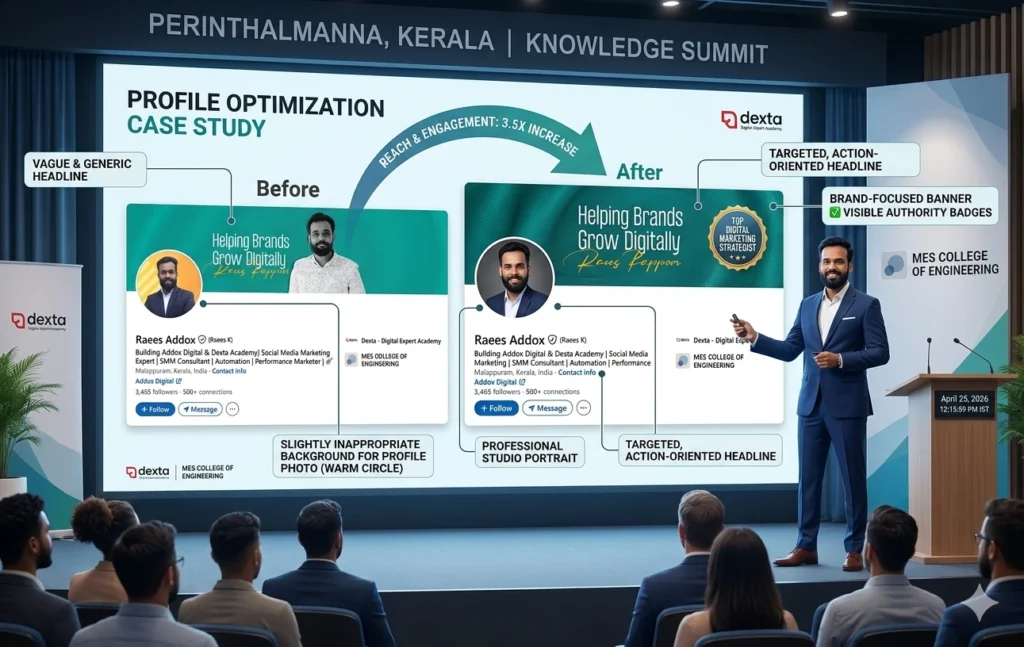
After working with hundreds of students and professionals at Digital Marketing Academy Perinthalmana, we see the same mistakes repeated over and over. Avoid these pitfalls to accelerate your LinkedIn growth:
Incomplete Profile
LinkedIn's algorithm suppresses incomplete profiles. Fill every section — especially Skills, About, and Experience.
Inconsistent Posting
Posting 10 times one week then going silent for a month destroys algorithm momentum. Consistency beats intensity.
Only Self-Promotion
The 80/20 rule: 80% of your content should educate or entertain; only 20% should directly promote your services.
Only Self-Promotion
The 80/20 rule: 80% of your content should educate or entertain; only 20% should directly promote your services.
No Clear Niche
Trying to be everything to everyone means being nothing to no one. Pick your lane and own it.
Sharing Without Adding Value
Resharing other people's content with no commentary is a wasted opportunity. Always add your own perspective.
Recommended Tools & Resources
The right tools can dramatically reduce the time it takes to build and manage your LinkedIn personal brand. Here are the ones we recommend at our academy:
🛠LinkedIn Personal Branding Toolkit
- Canva – Design professional banners, carousel slides, and infographics
- Shield Analytics – Track your LinkedIn post performance and follower growth
- Taplio – AI-powered LinkedIn content scheduling and analytics
- Notion – Plan your content calendar and track post ideas
- Grammarly – Polish every post and article before publishing
- LinkedIn Creator Mode – Enable this in settings to access analytics and prioritize follower growth over connections
- Google Keyword Planner – Find keywords to optimize your LinkedIn profile for search
For a deeper dive into digital tools for marketing, explore our roundup of the best digital marketing tools in 2025 — many of which apply directly to LinkedIn strategy.
Frequently Asked Questions
How often should I post on LinkedIn for personal branding?
Posting 3–4 times per week is the sweet spot for most personal brands. Quality always trumps quantity — one exceptional post per week outperforms five mediocre ones. Consistency is more important than frequency, so start with a schedule you can sustain long-term.
Can LinkedIn help me get a job in digital marketing?
Absolutely. LinkedIn is one of the primary channels recruiters use to find candidates. A well-optimized profile combined with an active content presence and a strong network can significantly increase your chances of being found for opportunities. Our digital marketing career guide covers this in full detail, including resume tips and interview preparation.
How long does it take to build a personal brand on LinkedIn?
With consistent effort — regular posting, active engagement, and profile optimization — most people start seeing meaningful results (increased profile views, connection requests, and opportunities) within 60–90 days. Building a truly recognized authority brand typically takes 6–12 months of sustained effort.
Do I need LinkedIn Premium for personal branding?
No. The vast majority of personal branding growth on LinkedIn can be achieved with a free account. LinkedIn Premium’s most useful feature for personal branders is seeing who viewed your profile and access to LinkedIn Learning — but it is not essential, especially when you are starting out.
What is the best first step to start personal branding on LinkedIn?
Complete your profile to 100% first — specifically focus on your headline, About section, and profile photo. Once your profile is strong, start by commenting on 5 posts per day for two weeks before you begin posting your own content. This builds your network and gives you a feel for what resonates in your niche. For structured guidance, consider enrolling in our Digital Marketing Course in Perinthalmana where LinkedIn branding is covered in a dedicated module.
About The Author

Raees Addox
Raees Addox is a digital marketing leader with 7+ years of industry experience, working at the intersection of digital marketing, sales, and AI. He is the Co-Founder of Addox Digital and Co-Founder & CEO of Dexta Academy.
0 Comment