

Best computer course after 12th is one of the most important decisions for students who are stepping into higher education and planning their future career. Completing 12th grade is an exciting stage, but it also brings one big question: what should I study next to build a stable future? For many students, a computer course feels like the safest choice. But today, choosing the right course matters more than simply joining any basic computer class.
Traditional computer courses such as office applications, hardware basics, and basic programming are still useful. However, companies now need people who can solve real business problems using online platforms, websites, design tools, data, content, and AI-based tools.
That is why the best computer course after 12th is usually one that gives you practical digital skills, not just theory. Courses such as digital marketing, web development, graphic design, UI/UX design, data analytics, content creation, and AI tools can help students start earning earlier, build a strong portfolio, and explore jobs, internships, or freelance work.
For students who want confidence, income opportunities, and career flexibility, choosing the best computer course after 12th with practical digital skills can be a smarter step after 12th.
Why Digital Skills Matter After 12th
The way businesses work has changed completely in recent years. Shops, hospitals, schools, restaurants, agencies, startups, and even local service providers now depend heavily on online visibility. They need websites, social media pages, online advertisements, content creation, data tracking, customer communication systems, and creative digital designs to grow.
This shift has created huge opportunities for students who know how to work with modern digital tools.
The best computer course after 12th today is one that focuses on practical, job-ready digital skills rather than only theoretical knowledge. Instead of just learning basic computer concepts, students now benefit more from hands-on training in real-world applications.
A student who understands digital marketing can help businesses generate leads and sales. A web development student can build professional websites and online platforms. A graphic designer can create posters, branding materials, and social media creatives. A data analytics learner can analyze business performance and support decision-making. A UI/UX designer can improve the experience and design of apps and websites.
The biggest advantage of these skills is their practical nature. You don’t just learn theory—you apply what you learn, build real projects, and develop a strong portfolio that proves your ability.
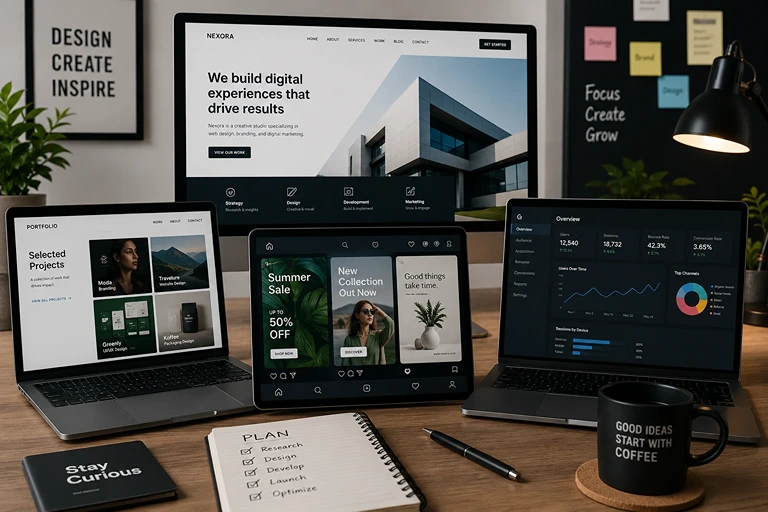
Unlike traditional theoretical courses, modern digital courses help students create visible proof of their skills. This proof can include a website, ad campaign, design portfolio, analytics dashboard, social media strategy, or freelance project work. These real outputs make students more job-ready and confident in the competitive job market.
Traditional Computer Courses vs Modern Digital Courses
Many students still think a computer course means learning typing, MS Office, hardware, or basic programming. These are useful starting points, but they may not be enough for today’s competitive job market.
Modern digital courses focus more on real-world application. They teach students how businesses use technology for sales, branding, customer support, design, data, and automation.
Comparison Area | Traditional Computer Courses | Modern Digital Courses |
Main Focus | Basic computer knowledge | Practical business and creative skills |
Examples | MS Office, typing, hardware, basic coding | Digital marketing, web design, UI/UX, analytics |
Learning Style | Mostly theory and basic practice | Projects, tools, campaigns, portfolios |
Career Entry | May need extra training | Can support internships, freelance work, and junior roles |
Best For | Foundation knowledge | Skill-based career building |
Portfolio Value | Limited | High, if projects are included |
Traditional courses are not wrong. But students who want faster exposure to real work should consider courses that include tools, assignments, live projects, and portfolio building.
Best Computer Course After 12th: Top Options to Consider
There is no single course that is best for every student. The right choice depends on your interest, budget, learning style, and career goal. However, the following courses are among the most practical options after 12th.
1. Digital Marketing
Digital marketing is one of the most popular choices for students who want to enter the business, marketing, content, or freelancing field.
In this course, students learn how companies promote products and services online. Topics usually include search engine optimization, social media marketing, Google Ads, email marketing, content strategy, analytics, and lead generation.
This course is suitable for students who enjoy creativity, communication, business thinking, and online platforms.
Possible roles after learning digital marketing:
- Digital marketing executive
- SEO assistant
- Social media executive
- Content marketing assistant
- Performance marketing trainee
- Freelance marketer
Digital marketing is also useful for students who want to start their own business later because it teaches how to attract customers online.
2. Web Development
Web development is a strong choice for students who enjoy logic, design, coding, and problem-solving.
A web development course usually covers HTML, CSS, JavaScript, responsive design, website structure, hosting basics, and sometimes backend development. Students can build websites for businesses, portfolios, blogs, landing pages, and online stores.
This course is ideal for students who like technical work and want a skill that can be shown through real projects.
Possible roles after learning web development:
- Front-end developer
- Junior web developer
- Website designer
- WordPress developer
- Freelance website creator
The biggest advantage of web development is portfolio visibility. A student can build two or three sample websites and use them to approach internships, local businesses, or freelance clients.
3. Graphic Design and Content Creation
Graphic design is a good option for students who are creative and enjoy visual communication.
This course usually includes Canva, Photoshop, Illustrator, branding basics, poster design, social media creatives, ad banners, and sometimes video editing. Today, almost every business needs visual content for Instagram, YouTube, websites, brochures, and ads.
Possible roles after learning graphic design:
- Graphic designer
- Social media designer
- Creative assistant
- Brand design trainee
- Freelance designer
- Content creator
This course is especially useful for students who want to work with agencies, influencers, startups, or local businesses.
4. UI/UX Design
UI/UX design focuses on how websites and apps look, feel, and work for users.
UI means user interface, which is the visual side of a website or app. UX means user experience, which is how easy and smooth it is for people to use that product.
Students learn tools like Figma, wireframing, prototyping, user research, layout design, and usability basics.
Possible roles after learning UI/UX:
- UI designer
- UX designer
- Product design assistant
- App design trainee
- Website interface designer
This course is good for students who enjoy both creativity and logical thinking.
5. Data Analytics
Data analytics is a good course for students who like numbers, business, reports, and decision-making.
This course usually covers Excel, SQL, Power BI, Tableau, Python basics, dashboards, and data visualization. Companies use data to understand sales, customers, marketing performance, expenses, and growth.
Possible roles after learning data analytics:
- Data analyst trainee
- Business analyst assistant
- Reporting executive
- Power BI trainee
- Excel analyst
- Junior analytics associate
Data analytics may take more practice than some beginner courses, but it can offer strong long-term opportunities.
6. AI-Assisted Tools and Automation
AI tools are now becoming part of many jobs. Students who know how to use AI responsibly can work faster and smarter.
A beginner AI tools course may include prompt writing, AI content support, chatbot basics, automation tools, productivity tools, research support, and creative AI workflows.
This does not mean AI replaces your skill. It means AI can support your work when you already understand the basics.
Possible uses of AI tools:
- Content planning
- Marketing support
- Research assistance
- Customer response drafts
- Design idea generation
- Workflow automation
Students should learn AI tools with ethics. Do not copy blindly, do not submit false information, and always check the output before using it.
These courses prepare students with practical skills for fast career and freelance opportunities.
Course Comparison Table
Course | Best For | Duration | Fee (INR) | Career Output |
Digital Marketing | Students interested in business, content, and promotion | 3 months | ₹15,000 | Campaigns, SEO, social media, lead generation |
Web Development | Students who enjoy coding and websites | 6 months | ₹25,000 | Websites, landing pages, web projects |
UI/UX Design | Creative students interested in apps and websites | 4 months | ₹20,000 | Wireframes, prototypes, app screens |
Data Analytics | Students who like numbers and reports | 5 months | ₹22,000 | Dashboards, reports, business insights |
Graphic Design | Creative students who enjoy visuals | 3 months | ₹18,000 | Posters, branding, social media creatives |
AI Tools | Students who want productivity and automation skills | 2 months | ₹12,000 | AI workflows, content support, automation |
Note: Fees and duration are sample estimates. Students should confirm the latest course details before enrolling.
How to Choose the Right Computer Course After 12th
Choosing a course only because it is popular can lead to confusion later. A better approach is to match the course with your interest, learning style, and career goal.
Check Your Interest First
Ask yourself what type of work you enjoy. Do you like design, coding, writing, numbers, business, or social media? Your interest matters because you will practice more when you enjoy the subject.
For example, if you like creativity and Instagram content, digital marketing or graphic design may suit you. If you enjoy logic and structure, web development or data analytics may be better.
Look for Practical Training
A good course should not only explain concepts. It should include assignments, projects, case studies, and tool practice.
Before joining, ask whether the course includes:
- Live projects
- Portfolio work
- Internship support
- Tool training
- Practical assignments
- Feedback from mentors
A certificate is useful, but your project work is what helps you stand out.
Review the Syllabus Carefully
Do not join a course without checking the syllabus. A strong syllabus should include current tools and practical modules.
For digital marketing, check whether SEO, social media ads, content, analytics, and campaign planning are included. For web development, check whether HTML, CSS, JavaScript, responsive design, and hosting basics are covered.
Check Trainer Experience
A trainer with real industry experience can explain how work happens outside the classroom. This helps students understand client expectations, project deadlines, common mistakes, and workplace communication.
Compare Fees With Outcomes
The cheapest course is not always the best. The most expensive one is not always the best either.
Look at what you get for the fee: mentorship, projects, tools, doubt support, career guidance, internship help, and portfolio building.
The right course should match your interest, offer practical training, and provide clear career value for the fee.
Suggested Learning Path for Students After 12th
Students often feel confused because there are too many course options. A simple learning path can make the decision easier.
Step 1: Build Basic Computer Confidence
Start with typing, file management, internet research, email, Google Docs, spreadsheets, and presentation tools. These basics help in every career.
Step 2: Choose One Main Skill
Pick one major skill based on your interest. Do not try to learn five things at the same time.
Choose digital marketing if you like business and promotion. Choose web development if you like websites and coding. Choose graphic design if you like visuals. Choose data analytics if you like numbers and reports.
Step 3: Complete Small Projects
Projects help you learn faster. For example, create a website, design a poster set, make a content calendar, build an Excel dashboard, or create a sample ad campaign.
Step 4: Build a Portfolio
A portfolio is a collection of your work. It can be a Google Drive folder, Behance profile, GitHub page, simple website, or PDF presentation.
Step 5: Apply for Internships or Freelance Work
Once you have basic confidence and 3–5 projects, start applying. Do not wait until you feel perfect. Real learning improves when you work on real problems.
Top Tools Every Student Should Learn
Tools help students turn knowledge into practical output. Learning the right tools also makes your resume stronger.
Skill Area | Tools to Learn | Why It Helps |
Digital Marketing | Google Analytics, Google Ads, Meta Business Suite, SEMrush | Helps track campaigns, ads, and SEO performance |
Web Development | VS Code, GitHub, Bootstrap, WordPress | Helps build, manage, and publish websites |
UI/UX Design | Figma, Adobe XD | Helps create app screens, wireframes, and prototypes |
Data Analytics | Excel, Power BI, SQL, Python | Helps analyze data and create useful reports |
Graphic Design | Canva, Photoshop, Illustrator | Helps create posters, ads, and branding designs |
AI and Automation | ChatGPT, Zapier, Notion AI | Helps improve productivity and automate simple tasks |
Students do not need to master every tool at once. Start with the tools connected to your course, then slowly expand.
Career Opportunities After Digital Courses
A practical computer course can open different paths after 12th. The best part is that students do not have to depend on only one type of job.
Internship Opportunities
Internships are a good starting point because they help students understand real work. Even a short internship can improve confidence, communication, and portfolio quality.
Entry-Level Jobs
After completing a course and building a portfolio, students can apply for junior roles. These may include digital marketing assistant, junior web developer, graphic designer, SEO trainee, content assistant, or data analyst trainee.
Freelancing
Freelancing allows students to work with small businesses, local shops, creators, and startups. Beginners can start with small projects such as posters, website updates, social media posts, basic SEO, or landing pages.
Higher Studies Support
Digital skills also help students who continue college. A B.Com student with digital marketing knowledge, a BCA student with web development skills, or a design student with UI/UX knowledge can stand out from classmates.
Business and Self-Employment
Students from business families or students planning to start something of their own can use digital skills to promote products, create websites, run ads, and manage online customers.
Portfolio Ideas for Students After 12th
A portfolio can make a beginner look more serious and professional. It shows employers and clients what you can actually do.
Digital Marketing Portfolio Ideas
- Create a sample social media calendar for a local business
- Write three SEO blog outlines
- Prepare a mock Google Ads campaign plan
- Audit an Instagram page and suggest improvements
- Create a basic monthly marketing report
Web Development Portfolio Ideas
- Build a personal portfolio website
- Create a landing page for a coaching center
- Design a restaurant website homepage
- Build a simple blog layout
- Create a responsive product page
Graphic Design Portfolio Ideas
- Create festival posters for local brands
- Design Instagram carousel posts
- Make a logo concept and brand color guide
- Create YouTube thumbnail samples
- Design a brochure for a course or event
Data Analytics Portfolio Ideas
- Create an Excel sales dashboard
- Analyze sample customer data
- Build a Power BI report
- Create charts from public datasets
- Prepare a business summary from raw data
A student with even five well-presented projects can create a stronger impression than someone with only a certificate.
Common Mistakes Students Should Avoid
Many students waste time and money because they choose courses without proper research. Avoid these mistakes before enrolling.
Choosing Only Based on Friends
Your friend’s interest may not match yours. Choose based on your own strengths and career goals.
Ignoring Practical Projects
A course without projects may leave you with knowledge but no proof. Always choose training that includes assignments and portfolio work.
Running Behind Certificates Only
Certificates can support your resume, but they do not replace skill. Employers and clients want to see what you can create.
Not Practicing After Class
Watching lessons is not enough. You must practice, make mistakes, ask questions, and improve your work.
Avoiding Communication Skills
Even technical roles need communication. Learn how to explain your work, write clear emails, attend interviews, and speak confidently.
FAQs
Which is the best computer course after 12th?
The best computer course after 12th depends on your interest and career goal. Digital marketing, web development, UI/UX design, graphic design, data analytics, and AI tools are strong options because they teach practical skills that can be used in jobs, internships, and freelance work.
Is digital marketing a good course after 12th?
Yes, digital marketing is a good course after 12th for students interested in social media, content, branding, ads, SEO, and business growth. It is also useful for freelancing and entrepreneurship.
Can I learn web development after 12th without a science background?
Yes, students from any stream can learn web development. You need logical thinking, regular practice, and patience. Start with HTML, CSS, and JavaScript before moving to advanced topics.
Are short-term computer courses useful after 12th?
Short-term courses are useful if they include practical training. A 3-month course with projects can be more valuable than a longer course that only teaches theory.
Can I get a job after completing a computer course after 12th?
Yes, entry-level jobs and internships are possible if you build practical skills and a portfolio. Your chances improve when you can show real projects, communicate clearly, and apply consistently.
Which course is better for freelancing after 12th?
Digital marketing, graphic design, web development, video editing, and content creation are good freelancing options. These skills are needed by small businesses, startups, creators, and local brands.
Choosing the best computer course after 12th is not just about getting a certificate, but about building real skills that can create career opportunities. Students who focus on practical learning, projects, and digital tools can easily move toward internships, freelance work, or entry-level jobs with confidence.
Students who choose practical, skill-based courses after 12th have higher chances of getting internships, freelance opportunities, and job-ready experience compared to purely theoretical courses.
Ready to Shape Your Future?
Join Dexta Digital Marketing Academy and start learning practical digital skills with real projects and expert guidance.
Start NowAbout The Author

Raees Addox
Raees Addox is a digital marketing leader with 7+ years of industry experience, working at the intersection of digital marketing, sales, and AI. He is the Co-Founder of Addox Digital and Co-Founder & CEO of Dexta Academy.
0 Comment